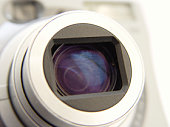
Taking stable and sharp photos is hard in some situations. For example when taking a photo using high zoom lenses even the tiniest camera movement will result in a blurry photo. The reason for that blurriness is that while the shutter is open and the photo is being captured the camera moves and the image on the sensor also moves losing its sharpness. Image stabilizers help in solving the problem, here is how.
The best solution for camera movements is of course to eliminate the movements. Sometimes this can be accomplished by using a tripod or placing the camera on a stable surface when taking the photo. However in many situation it is impossible to completely stabilize the camera ? for example when taking photos of fast objects in high zoom.
When movement elimination is not possible other solutions can be used that instead of preventing the movement compensate for it and prevent its symptom: blurry photos. Such solutions are also known as Image Stabilizers.
There are many different implementations of image stabilizers and many manufacturers keep their implementation details secret to prevent competitors from copying it. An image stabilizer implementation can be divided to two: detecting the movement and compensating for it. Detection is the mechanism that detects that the camera moved while shooting a photo. Compensation is the mechanism that for detected movements compensates to prevent the movement symptoms.
There are two common ways to implement image stabilizers (sometimes known as mechanical image stabilizers for the implementation mechanical feature): a floating lens element or a moving sensor.
Floating lens element: An element is added in the lenses usually in the form of a compensating lens. This element is ?floating? in the lenses and can move left, right, up and down. Gyroscopes are placed in the lenses ? or micro gyroscopes or equivalent sensors. When the camera moves the gyroscopes detect the movement and send a signal to the floating lens to move in the right direction in order to compensate for the movement. Moving the lens corrects the angle in which the light hits the image sensor compensating for the movement.
Moving sensor: The sensor is a chip behind the lenses that converts the light reflected on it to digital pixels. When a movement is detected the sensor is slightly moved in the opposite direction to compensate for it. Gyroscopes or equivalent sensors could be used to detect movements though many stabilizers use a DSP processor that analyzes the image on the sensor in real time to detect movements eliminating the need of another mechanical part
The advantages of such stabilizers are: getting sharper photos while practically eliminating blurriness in most common scenarios. Sensor based detectors work very well in low light scenarios since they detect actual physical movement while DSP processors based detection is less effective in low light scenarios and more prone to errors. The disadvantages are: added cost, weight and size to the camera as a result of the mechanical mechanism.
Digital Camera Image Stabilizer
Although digital cameras entered the picture quite a number of years ago and have subsequently all but eliminated film cameras, some consumers are just now making the switch. The reason for this is clear as the quality of a 35mm shot is outstanding and quite simply, we understood them. However, digital cameras offer advantages as well, such as the ability to edit photographs and to delete unacceptable images prior to printing or "developing": a tremendous cost savings that allows photographers to experiment worry-free. When a stalwart film camera fan decides to take the leap some basic questions about how digital cameras function can arise.
Two common questions for digital camera novices are regarding how pictures are stored and then subsequently transferred for printing or sharing over the internet. The quick and dirty answer is that pictures taken with a digital camera are stored on digital memory cards: Smart Media cards, MultiMedia cards, Compact Flash cards etc. Images are stored on the cards and then loaded to a computer. Once on the computer, the images on the cards are generally deleted and the card is re-used so that a huge library of memory cards does not have to be maintained.
Images are usually compressed to fit on the cards. Greater compression allows more images to be stored on a given card helping to eliminate the need to download images to a computer after every few shots. However, it's important to realize that the more the images are compressed, the more the quality of the image is sacrificed.
When purchasing a card for a digital camera, users can roughly estimate that with a typical 8 megapixel camera, the card will hold at least one quarter as many images as the card has megabytes, which is indicated on the front of the card. Both the amount of compression and the resolution of the images greatly affect the storage capacity of the card. Another option of course is to purchase multiple cards.
Many individuals who travel with their digital camera get a portable hard disk which allows them to download their images onto it, delete images from their card, and continue using the card without having to worry about downloading to their computer when they are away from home.
Once an image is stored on a digital camera, there are several ways of getting images from it to a computer. Individuals purchasing their first digital camera will need to determine how their new camera will connect to their computer to assure they have any necessary equipment/cables to complete the transfer. Common connections include:
?Card readers
?A Docking station to connect the digital camera to the computer via either a USB or FireWire connection. (USB 2.0 allows much faster downloading that USB 1.1)
?PCMCIA adapters. These exist on most laptop computers. The memory cards fit directly into the slot and can be loaded from there.
Once connected to the computer, the software included with the digital camera is simply launched and transfer is completed with the click of a button. Even for those new to digital cameras, the ability to store and download images to their computer should be a very simple process that will be easy to master.
Both Ziv Haparnas & Christine Peppler are contributors for EditorialToday. The above articles have been edited for relevancy and timeliness. All write-ups, reviews, tips and guides published by EditorialToday.com and its partners or affiliates are for informational purposes only. They should not be used for any legal or any other type of advice. We do not endorse any author, contributor, writer or article posted by our team.
Ziv Haparnas has sinced written about articles on various topics from Digital Camera, Digital Photos and Digital Camera. Ziv Haparnas writes about technology and digital photography. Ziv Haparnas is a veteran technologist. More information on digital photo printing and photography is available on printrates.com - a site about. Ziv Haparnas's top article generates over 74000 views. to your Favourites.
Christmas Gift Idea Girlfriend Here you will find amazing experience days and unusual gifts for your family and loved ones. Do not wait until the last moment to get your gifts for your loved ones.