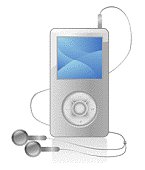
Portable gadgets can be used for play or work. These gadgets may include portable media players, laptops, netbooks, or the UMPC (Ultra Mobile PC). The type of gadget that a consumer decides to buy depends very much on his or her own personal needs and wants. For example, if an individual wants to use a portable gadget for work, a laptop may be the best option. That's because the laptop is able to house more powerful hardware, and more applications can be run from the system. However, the drawback is that most laptops are still bulky compared to other portable gadgets.
In contrast, modern entertainment gadgets that are portable are lighter, smaller, and come in more popular designs. The Archos 5 Internet media tablet is such an example.
The Archos media tablet has its own built-in CPU. However, as this gadget is meant mainly for entertainment purposes, the CPU is often left out of the limelight. Most consumers are mainly concerned about whether the graphics will run smoothly, and how many movies they can store on the media player.
You can use the Archos media player to watch TV content, stream movies over the Internet, or play your own movies. This device supports many media formats. Formats include MPEG, WMV, H.264, AVI, and DivX. There is no QWERTY keyboard available. All the commands are issued using touch screen. The only off screen operations are the power and the volume control.
This gadget comes in 3 versions - 60GB, 120GB, and 250GB. The smallest version weighs only .55 pounds, while the other two versions weigh .66 pounds. That means you can easily bring the device wherever you go without hassle. The amount of disk space required depends on how much content you wish to store in the gadget. Given the advanced compression technology available today, each high quality movie will usually require no more than 1GB of disk space.
There are many ways that an individual can store content in a media player. Content can be easily downloaded over the Internet. Or special software can be used to convert VCD or DVD movies into digital formats. The media player can also be connected to the television set for recording of programs.
If you grow tired of existing content, you can also connect to the Internet to perform some simple operations like web browsing or checking email. While connected to the Internet, you can download more content such as movies, Anime episodes, or simply stream content without downloading.
Obviously, a portable media player is a great traveling companion. You can use the gadget to provide you with some great entertainment while waiting for a flight, or while you are in the hotel. This useful gadget retails for less than $500. For all the functions that it performs, it's definitely worth considering.
Of Portable Media Players
Devices in the iPod range are primarily digital music players, designed around a central click wheel although the iPod shuffle has buttons only.
The full-sized model stores media on an internal hard drive, while the smaller iPod nano and iPod shuffle use flash memory. Like many digital audio players, iPods can also serve as external data storage devices.
In addition to playing music, iPods with display screens can display calendars, contact information, and text files, and play a limited range of video games. Models introduced in 2004 include the ability to display photos and the fifth-generation iPod, introduced in 2005, can additionally play video files. In January 2007, Apple announced the iPhone, combining the features of a video-capable iPod with integrated mobile phone and mobile internet capabilities.
Apples iTunes software is used for transferring music (as well as photos, videos, games, contacts and calendars, for models that support those features). As a free jukebox application, iTunes stores a comprehensive library of music on the users computer and can play, burn, and rip music from a CD. It can also sync photos and videos.
History and Design:
The iPod came from Apple digital hub strategy, as the company began creating software for the growing market of digital devices being purchased by consumers. While digital cameras, camcorders and organizers had well-established mainstream markets, the company found digital music players lacking in user interface design and decided to develop its own.
The name was proposed by Vinnie Chieco, a freelance copywriter, who (with others) was called by Apple to figure out how to introduce the new player to the public. As soon as Chieco saw a prototype for the player he thought of the movie 2001: A Space Odyssey and the phrase: "Open the pod bay door, Hal!", which refers to the white EVA Pods of the Discovery One spaceship. At that time "iPod" was a name that Apple registered for Internet kiosks, but never put to use.
Apple hardware engineering chief Jon Rubinstein assembled a team of engineers to design it, including Tony Fadell, Stan Ng and Jonathan Ive. Additionally, Sparkfactor Design has designed some of the iPod hardware from 2002-2004. They developed the product in less than a year and it was unveiled on October 23, 2001. CEO Steve Jobs announced it as a Mac-compatible product with a 5 GB hard drive that put "1000 songs in your pocket."
Uncharacteristically, Apple did not develop the iPods software entirely in-house. Instead, Apple began with PortalPlayer reference platform which was based on 2 ARM cores. The platform used rudimentary software running on a commercial microkernel embedded operating system. PortalPlayer had previously been working on an IBM-branded MP3 player with Bluetooth headphones. Apple contracted another company, Pixo, to help design and implement the user interface, under the direct supervision of Steve Jobs.
Once established, Apple continued to refine the software look and feel. Starting with the iPod mini, the Chicago font (once used on early Macintosh computers) was replaced with Espy Sans, which was originally used in eWorld and Copland. Later iPods switched fonts again to Podium Sans, a font similar to Apple corporate font Myriad. The iPods with color displays then adopted some Mac OS X themes like Aqua progress bars, as well as brushed metal in the lock interface.
User interface:
Apple focused its development on the iPod's unique user interface and its ease of use, rather than on technical capability. The iPod is currently the world's best-selling range of digital audio players and its worldwide mainstream adoption makes it one of the most popular consumer brands. Some of Apple's design choices and proprietary actions have, however, led to criticism and legal battles.
The iPods with color displays use high quality anti-aliased graphics and text, with sliding animations. These iPods have five buttons and the newer generations have the buttons integrated into the click wheel an innovation which gives an uncluttered, minimalistic interface.
The buttons are:
Menu to traverse backwards through the menus, and toggle the backlight on older iPods when held
Center to select a menu item
Play / Pause which doubles as an off switch when held
Fast Forward (When held)/ Skip Forward
Fast Reverse (When held)/ Skip Backwards
The operations such as scrolling through menu items and controlling the volume are performed by using the click wheel in a rotational manner. These iPods also have a Hold switch at the top, which prevents accidental button presses.
Newer iPods automatically pause playback when the headphones are unplugged from the headphone jack, but playback does not resume when the headphones are re-inserted.
However, in newer iPods (excluding iPod shuffles), when the headphones are re-inserted into the headphone jack when the iPod is asleep, the iPod will automatically wake up to the last screen viewed before going to sleep. An iPod that has crashed or frozen can be reset by switching 'Hold' on then off, then holding Menu and Center (Menu and Play on the 3G iPod) for 6 seconds.
The iPod shuffle does not use a click wheel and instead has five buttons positioned differently to the larger models. It has a Play / Pause button in the center, surrounded by four buttons: Volume Up / Down and Skip Forward / Backwards. This button arrangement is shared by the Apple Remote (which ships with all Apple computers with Front Row and the Universal Dock).
Both Gen Wright & Cher K are contributors for EditorialToday. The above articles have been edited for relevancy and timeliness. All write-ups, reviews, tips and guides published by EditorialToday.com and its partners or affiliates are for informational purposes only. They should not be used for any legal or any other type of advice. We do not endorse any author, contributor, writer or article posted by our team.
Gen Wright has sinced written about articles on various topics from Terrier Dogs, Acne Treatment and Lose Weight. For more information on the and the. Gen Wright's top article generates over 1220000 views. to your Favourites.
Cher K has sinced written about articles on various topics from Affiliate Programs, Online Business and Home Based Business. Cher K Markov articles on various subjects and has a treasure chest of information and resources on you at. Cher K's top article generates over 5400 views. to your Favourites.
Container Gardening For Dummies With a creative mind and some determination, you will soon have a container garden that will be the envy of friends and strangers alike